The question before the meeting
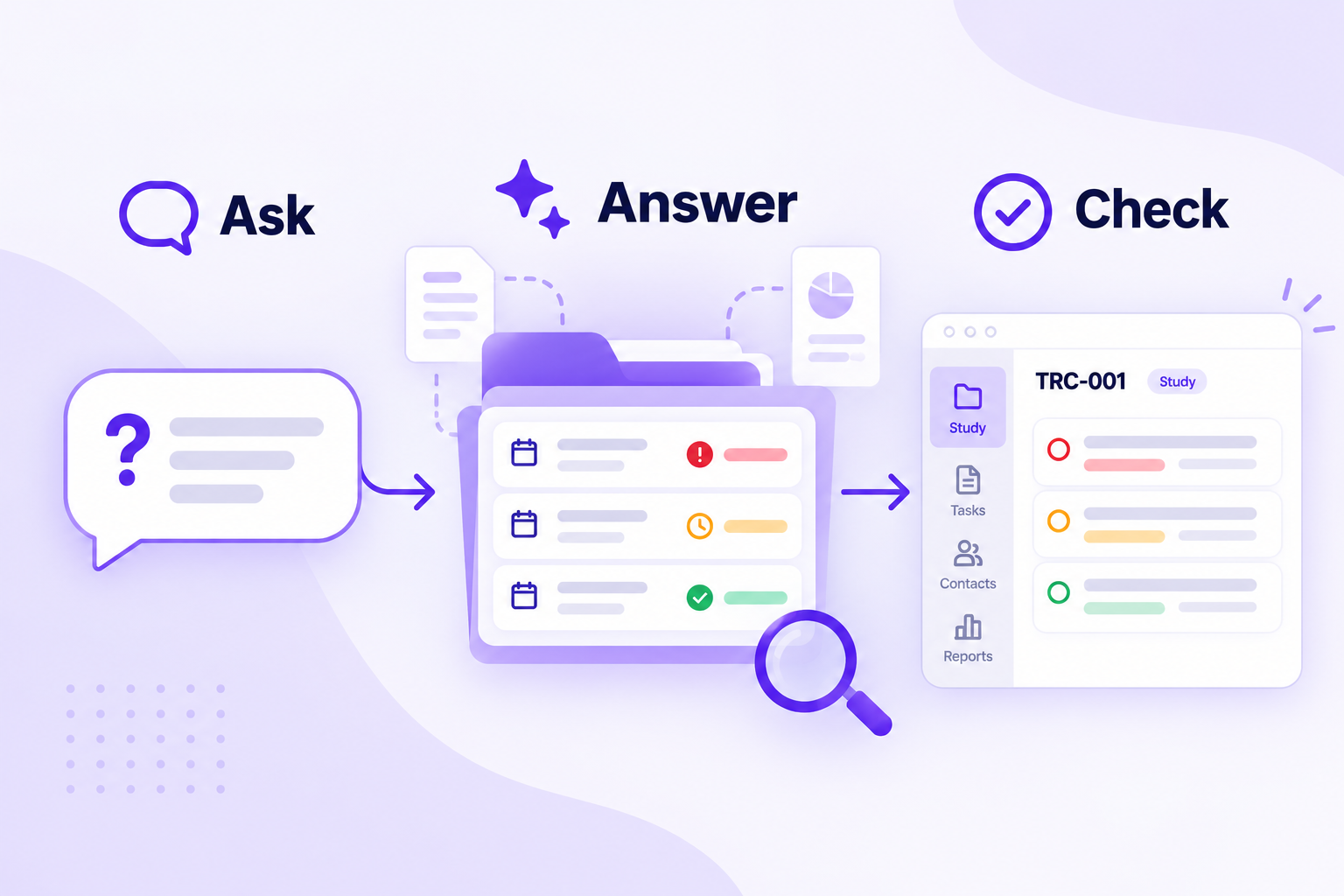
Before your next startup meeting, ask: "Which activities are overdue in this study, and who owns the next step?" The answer gives you a list to check before your team decides what happens next.
Today that answer usually means opening the task list, then checking email to find out whether a due date still holds. A good AI answer points you to the right activities and leaves the checking to you.
TrialConnx gives you two ways to ask. Talia is the assistant inside the app, and it has been part of TrialConnx since November 2025. The second way is a connection to an AI tool your team already uses. This article walks the question down both paths on example data, not a recorded session.
- "Which activities are overdue in this study, and who owns the next step?"
Talia
Enabled by requestAnswers from the data your account can see.
AI connection
Set up with usWorks under your own TrialConnx sign-in.
Either way, you open the activities before you act.
Ask Talia inside the study
Open a study you are allowed to see, open Talia from its icon, and ask: "Which activities are overdue in this study, and who owns the next step?" Talia also has an Overdue activities quick action for the study. You can start there and follow up in your own words.
- "Which activities are overdue in this study, and who owns the next step?"
- "What work is assigned to me in this study?"
- "Which stage took the most time in this study?"
Questions to start with. Talia also offers quick actions on a study, such as Overdue activities, and a question library you can search.
Talia answers from the data your account can see. A useful answer names each overdue activity with its assignee, due date, and status, in a sentence, a table, or a chart.
Talia stops at the answer. It cannot change a due date, reassign work, or post a comment. If the answer shows that the contract review is overdue, a person still decides whether to call the owner, move the date, or leave the record alone.
Which activities are overdue in this study, and who owns the next step?
Three open activities are past their due date.
- Budget negotiationJames Casedue Oct 14Working on it
- CTA legal reviewPenny Bdue Oct 20Pending review
- IRB response letterMoe Ldue Oct 23To-do
Talia reads and reports. You open each activity and confirm the date, status, and assignee before you act.
Open the activity before you act. Talia searches a synced copy of your study data, so an activity edited a few minutes ago may need a fresh look. Talia can also be wrong, as any AI can, and it asks you to check important answers. The activity record is where you confirm what is current.
Ask from the AI tool your team already uses
Some teams do their daily work in an AI tool such as Claude Code or Codex. TrialConnx can connect to it. The connection uses Model Context Protocol (MCP), an open standard for linking AI tools to software. The tool signs in with your own TrialConnx account, so it can look up the studies and activities you can see, and no others.
Ask the same question there: "Show the overdue activities in this study and their assignees." The tool finds the study, pulls the overdue activities, and lists them for you to check. It is the same question asked from a different place.
Show the overdue activities in this study and their assignees.
Found three open activities past their due date:
- Budget negotiation, James Case, due Oct 14.
- CTA legal review, Penny B, due Oct 20.
- IRB response letter, Moe L, due Oct 23.
The same question from a different place. The connection sees only what you can see.
Check the record, then decide
The first question names the overdue work. The next one is what to do about it. A due date cannot tell you whether the team is waiting on the sponsor, whether the owner already has the document, or whether the date should move. The activity and its history can tell you more. Your team fills in the rest.
So the routine is short. Ask. Open the activities the answer found. Decide the next step with your team. Record it the way you already do.
- 1Ask the question in plain words.
- 2Open the activities it found.
- 3Decide the next step with your team.
- 4Record it through your normal permissions.
A connected tool can help with that last step, if your organization allows updates. For example: "Add this comment to Budget negotiation: Budget review is scheduled for Friday." Then open the activity in TrialConnx and check that the comment was saved. Talia never takes this step. It has no way to edit a record.
Add this comment to Budget negotiation: "Budget review is scheduled for Friday."
Only when your organization allows updates and your account has the permission. Example only: open Budget negotiation in TrialConnx and check whether the comment was saved.
What your organization controls
Every TrialConnx customer can use Talia. It stays off until your organization asks us to turn it on. When you are ready, you ask, and we turn it on for your organization.
An AI connection is set up with us. Your organization chooses whether it can only read or can also update activities. Every request is checked against that policy and your own permissions, so a tool never gets more than you have. Neither Talia nor a connected tool widens access.
Until you ask, nothing changes. Your team keeps working in TrialConnx the way it does today. Before you decide, see what reaches an AI provider when Talia is on and what data TrialConnx holds.
Questions teams ask
Do we have to use AI to use TrialConnx?
No. Talia and AI connections are off until your organization asks for them. The regular views, reports, and workflows do not change.
Can Talia change an activity, and can a connected AI tool do that?
Talia cannot; it has no tools that write. A connected tool can create or update an activity, relate activities, or add a comment only when your organization allows updates and your account has that permission.
What data reaches an AI provider, and what should our team check before enabling access?
With Talia enabled, the question and the study text needed to answer it are processed by an AI model service, and search runs on a synced index of your study text. With a connection, your AI tool receives the results of the tools it calls, under your agreement with that vendor. Before enabling either, check your organization's policy on AI processing and decide whether a connection may read only or also update.
Try it with your own question
Bring the question your team asks before a startup meeting. We will show it with a demo study. Already use TrialConnx? Ask us to enable Talia for your organization.
See how it fits a research site, an academic medical center, or a CRO or sponsor team.